Transformatorz
Compact substation cost estimating from tender documents and the manufacturer’s templates, with an AI assistant in the project chat
The estimating engineer prices a compact substation in the project chat. An AI assistant builds estimates for MV switchgear panels, LV switchboard panels, and the substation from the manufacturer’s own costing templates, edits and explains them, and saves the edits the engineer asked only to propose for approval. The system reads the tender set, and a deterministic engine calculates the total.
- 60 min
- manual project estimate in Excelassessed when the system was scoped, not a measurement
- ≈15 min
- project estimate on the platformproject target, not a measurement in operation
- 77
- templates in the active set (substations 6, KSO 34, ShchO-70 36, generator 1)system fact
- 1,524
- materials catalog items in 8 categoriessystem fact
Client and problem
The client manufactures compact secondary substations, 10 kV air-insulated switchgear panels (KSO series), and 0.4 kV switchboard panels (ShchO-70). For every tender, the estimating engineer prices the substation from the customer’s design: single-line diagrams, layouts, schedules, and panel data sheets. Costing was done in Excel. The engineer copied workbooks for MV panels, LV panels, and a “substation sample” into a job folder and opened them in a fixed order so that links to the shared materials workbook would not break. They picked the panels from the data sheets, swapped busbars, cables, circuit breakers, and meters, and added the building, installation, and foundation. The internal costing guide runs to 50 slides. Excel did not check input, the item list was flat and full of duplicates, there were no versions, and busbar and cable sizes were chosen from the estimator’s experience. When the system was scoped, the manual process was put at 60 minutes per project.
What YYTECH built
YYTECH designed and built a system in which the engineer prices a substation by chatting with an AI assistant. It rests on two parts. Document recognition classifies the sheets of a tender PDF and extracts MV panels from the inquiry schedules. The estimate builder prices the job with the manufacturer’s templates, using a calculation engine, reference-based formulas, and a dependency graph. The team converted the manufacturer’s Excel costing sheets into those templates. Around the core sit project workspaces, a materials catalog, a change log, revisions, version comparison, template updates with a preview, and one-click quotes.
Working with the AI assistant
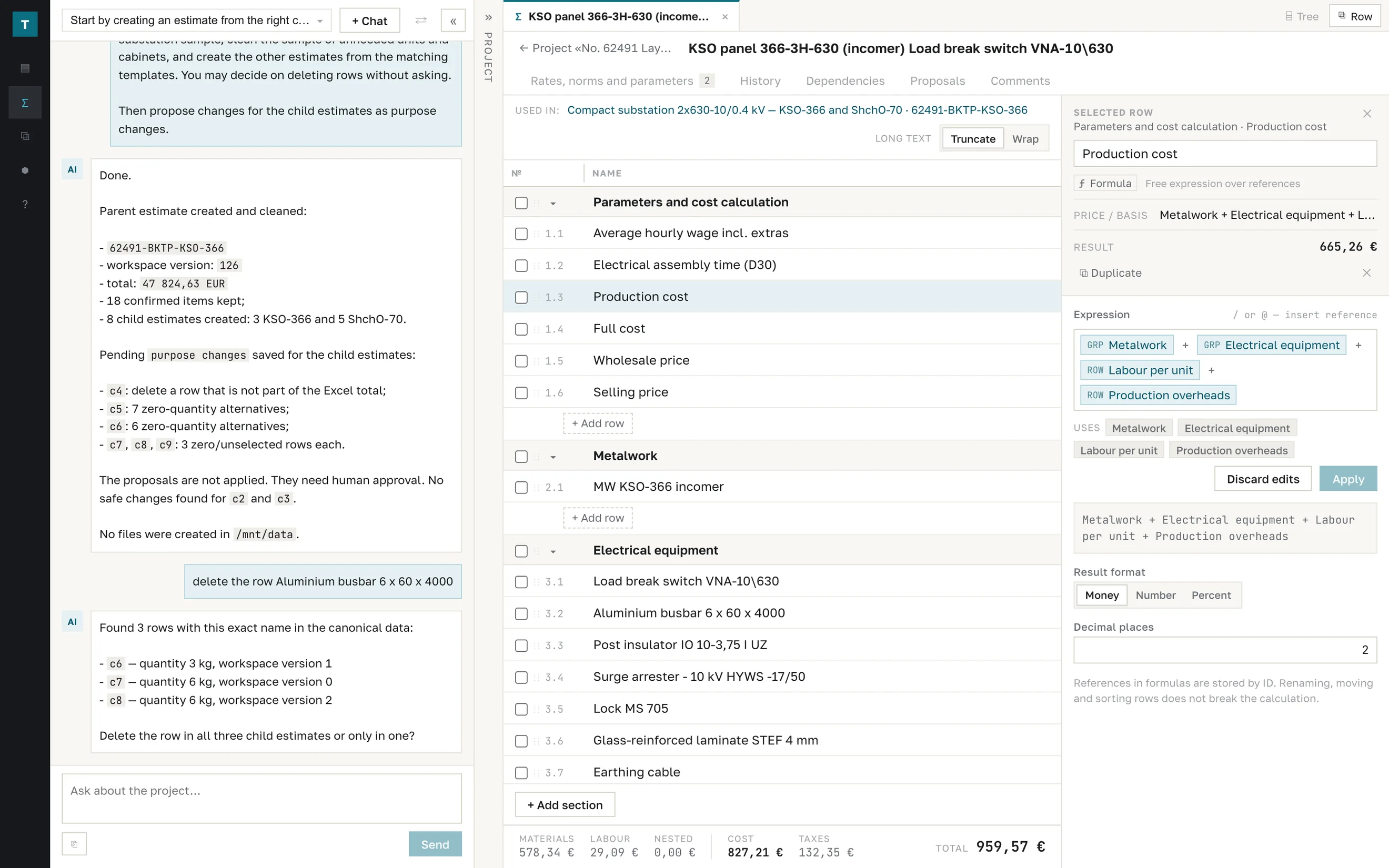
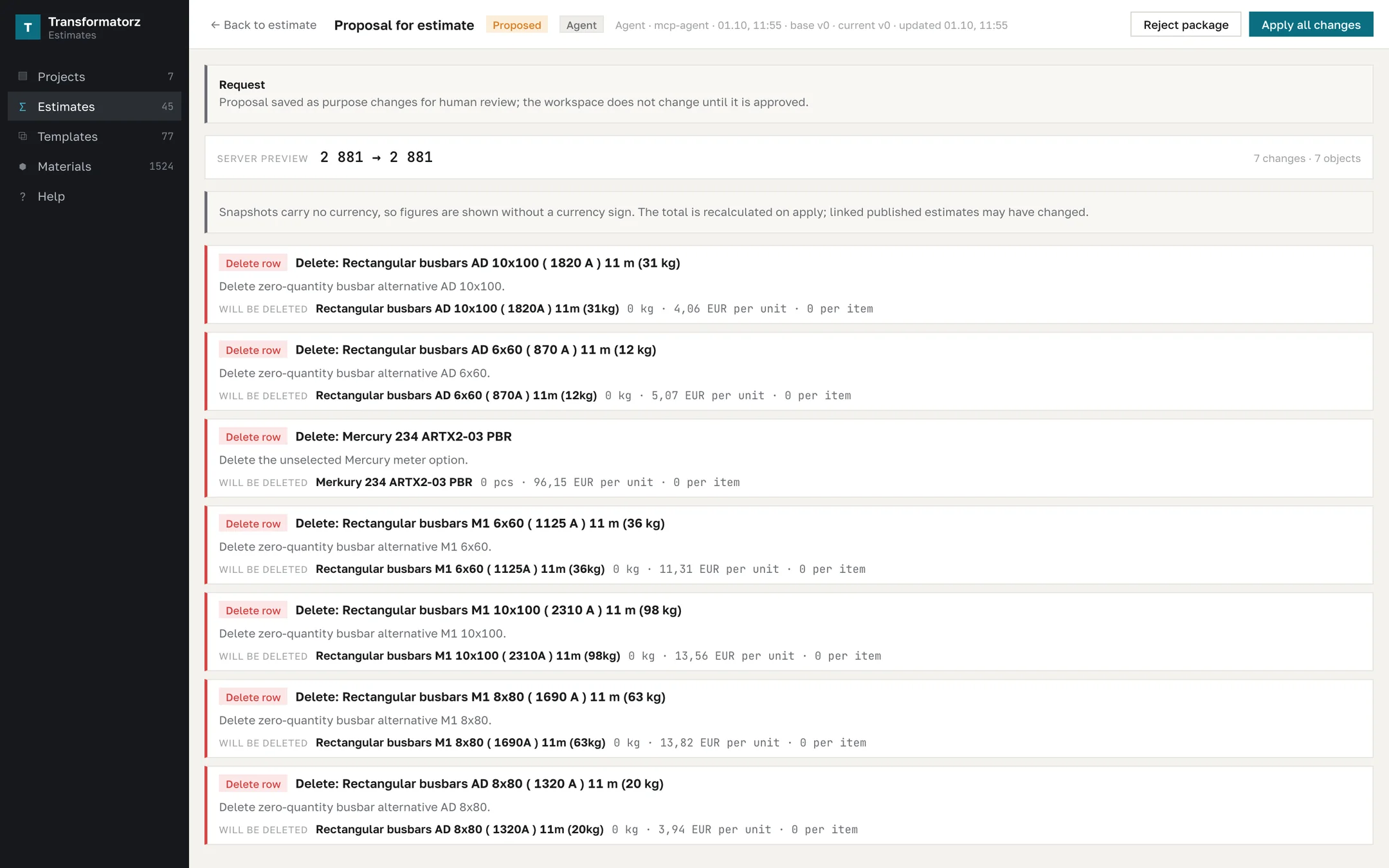
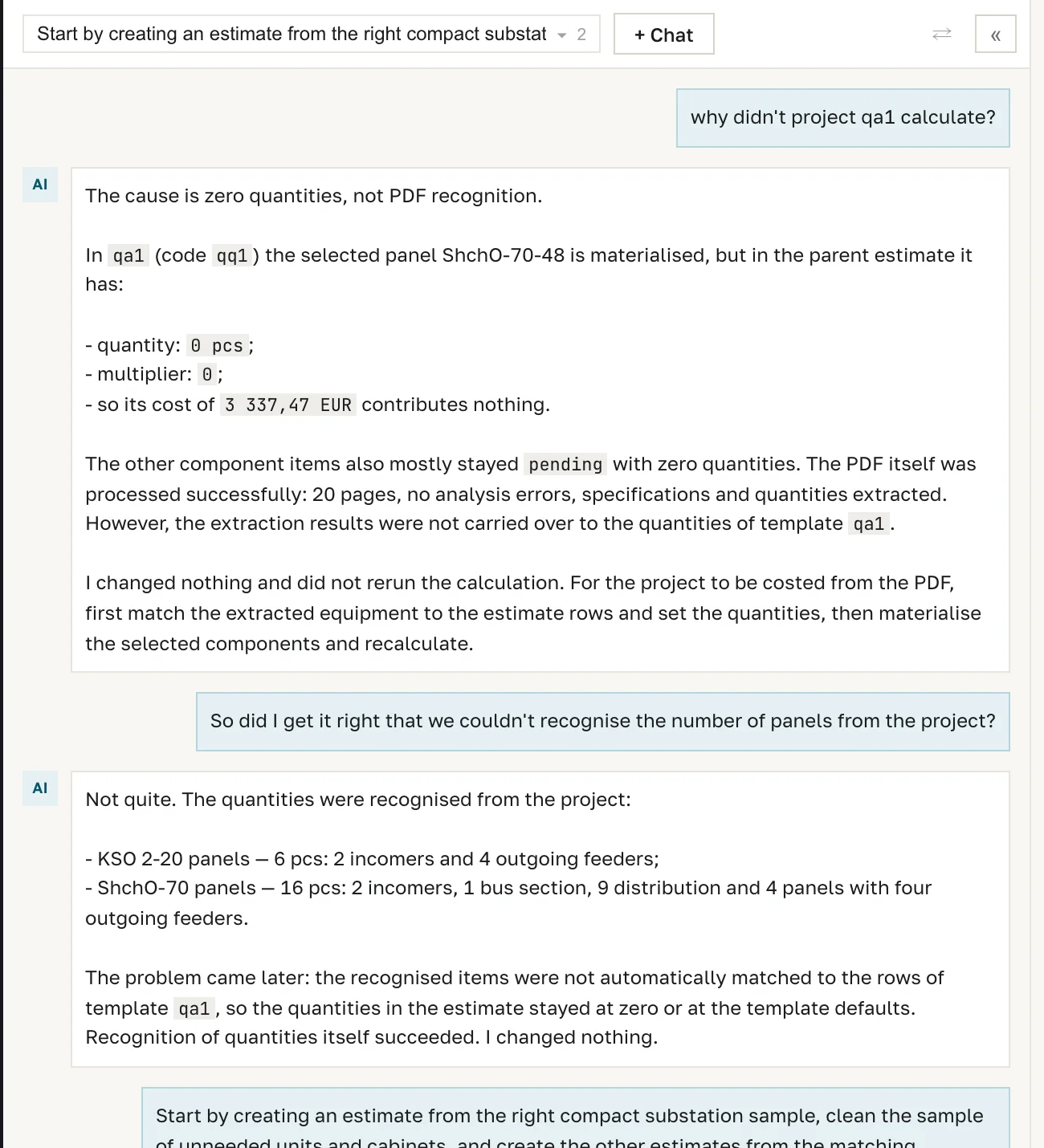
Engineers spend their time in the project chat, not in spreadsheets. They describe the job in plain language, for example: build an estimate from the right substation sample, remove unneeded units and cabinets, and create the child estimates. Through the system’s tools, the assistant sees the project, the recognized documents, estimates, templates, and the catalog. It picks the template, removes what is not needed, creates estimates for MV and LV panels, and recalculates the total. In each request, the engineer decides how much freedom the assistant has: what it may change directly and what it may only propose. Proposals are saved with a reason on every row and the total before and after, and the estimate does not change until the engineer applies them. The assistant explains calculation results (asked why a project didn’t calculate, it pointed to a zero component quantity rather than a recognition error), makes targeted edits in one sentence, asks for clarification when a row name is ambiguous, and does not guess a configuration when the project lacks data. Its rules: explain changes before applying them, apply them only on explicit request, and never invent identifiers, prices, or versions. Every change is visible in the estimate log. The models can run in the client’s own environment or in EU regions, for example Mistral or Gemini on Vertex AI.
Input: the tender PDF
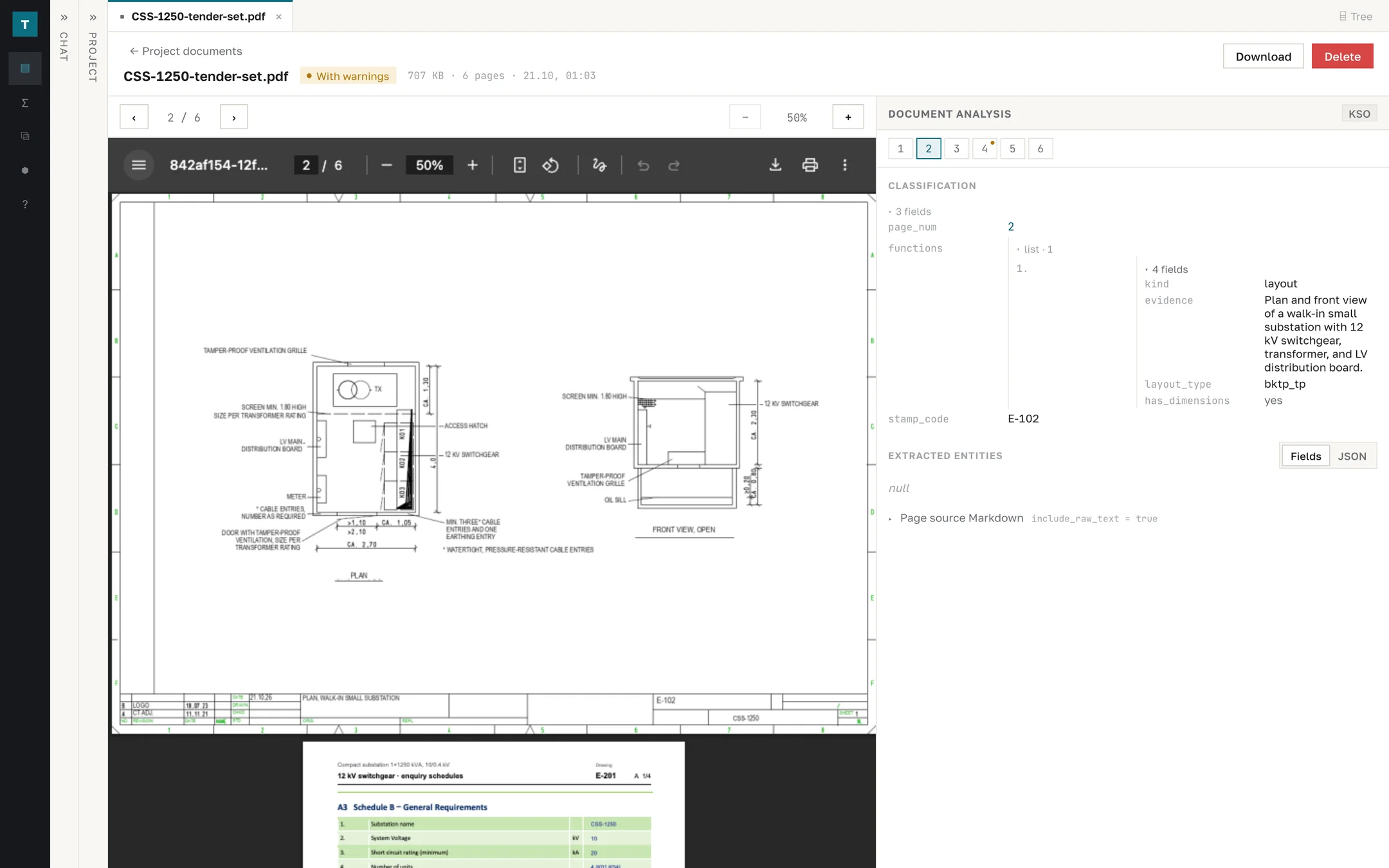
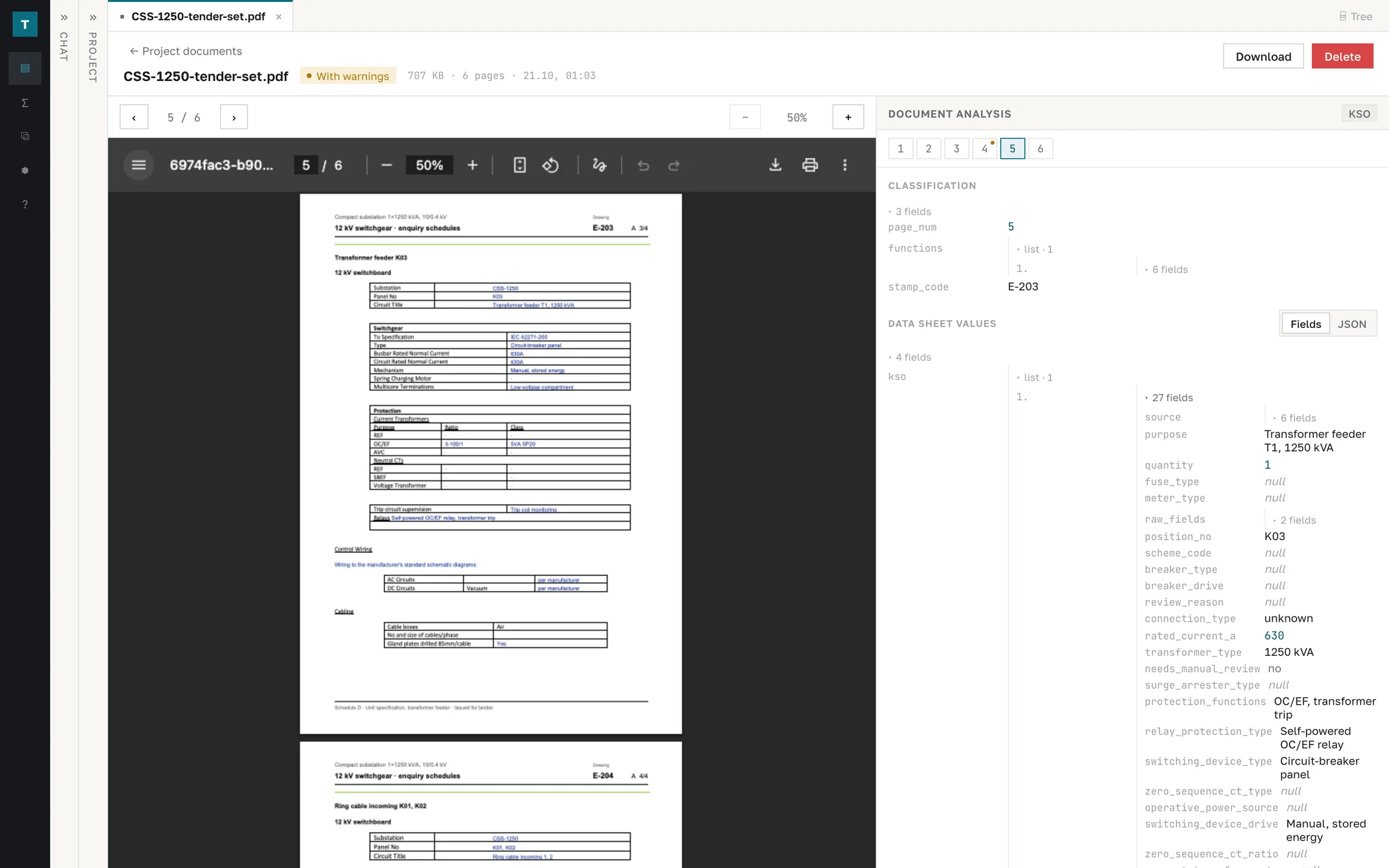
A project is a workspace: PDFs are uploaded and estimates are created in it. The system renders the sheets, recognizes the text, and determines what each sheet shows: single-line diagram, layout, schedule, data sheet, title sheet, or general notes. For a diagram, it notes the voltage level, metering, and protection; for a layout, its type and whether dimensions are present. The drawing number is taken from the title block. The example is a six-sheet tender set for a 1×1250 kVA compact substation: the single-line diagram of the 12 kV switchgear with three panels and a metering panel, the substation plan and front view, and four switchgear inquiry schedules (general requirements, switchboard arrangement, and two unit specifications). All six sheets were classified.
Inquiry schedules
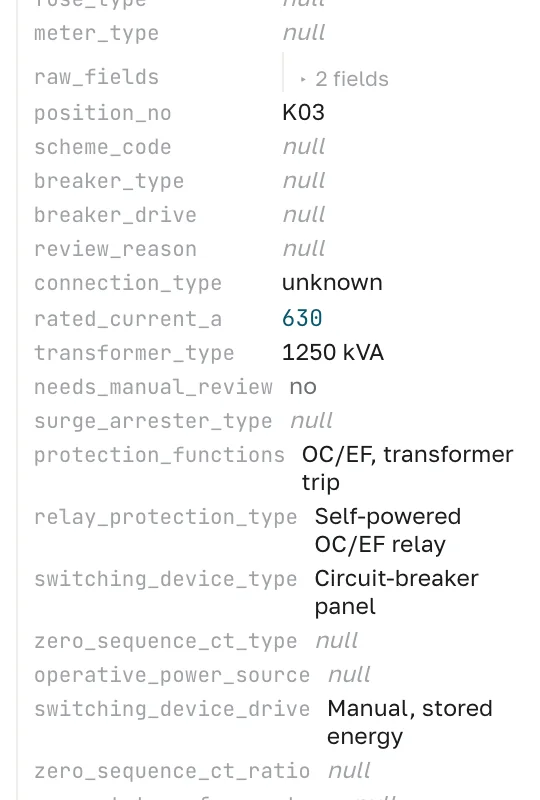
Switchgear inquiries often come as a set of schedules: general requirements for the board, the panel arrangement, and a unit specification for each panel type. From the unit specifications, the system extracts each panel with up to 27 fields: function, scheme, rated current, switching device and drive, current transformers, protection relay, surge arrester, auxiliary supply, and protection functions. Board ratings come from the general requirements. Fields that are not on the sheet stay empty, and uncertain values are flagged for review. In the example, panels K01–K03 were extracted. The arrangement sheet came back with a processing warning, which the interface shows next to the sheet so the engineer can check it.
Estimate builder
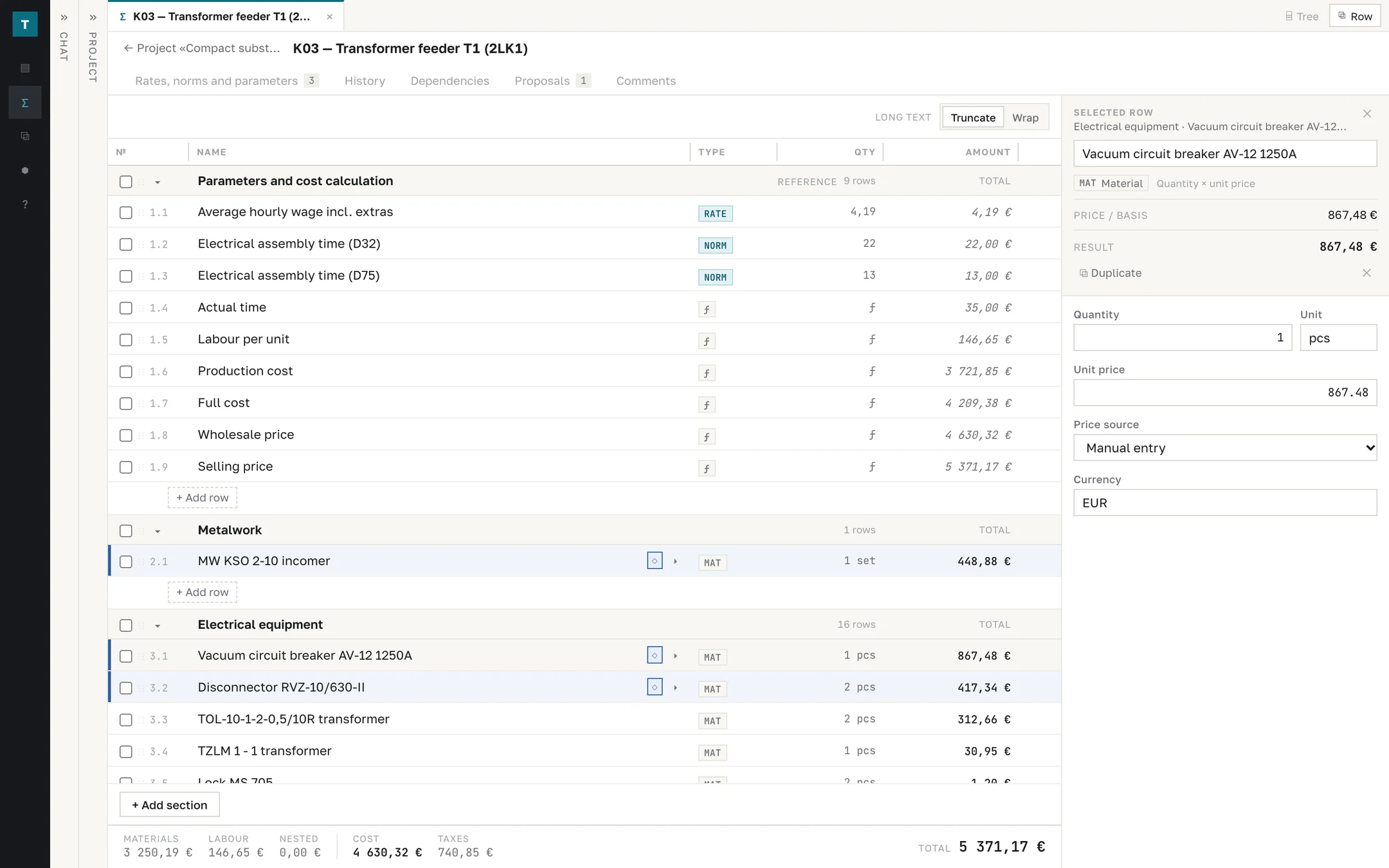
An estimate is a table of sections and typed rows: materials (quantity × price), labor (hours × rate), rates, norms, percentages, fixed amounts, formulas, and child estimates. Formulas reference sections and rows by ID, so renaming and reordering rows do not break the calculation. The engine builds a dependency graph, rejects circular references, recalculates the total after every edit, and does not let a row referenced by formulas be deleted silently. The total splits into materials, labor, child estimates, cost, taxes, and the selling price. A substation estimate is assembled from child estimates of MV and LV panels, each pinned to a template version.
Templates and catalogs
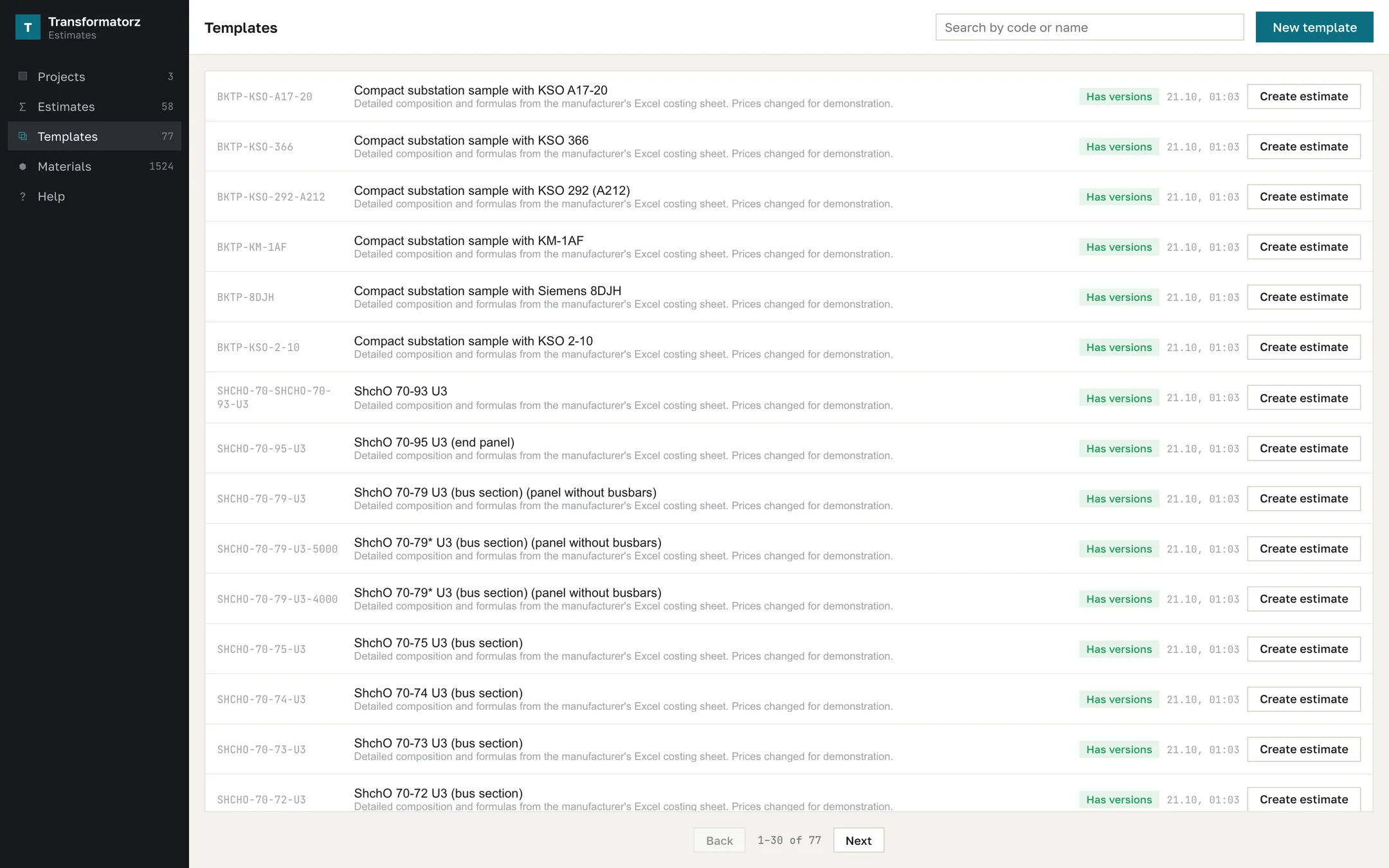
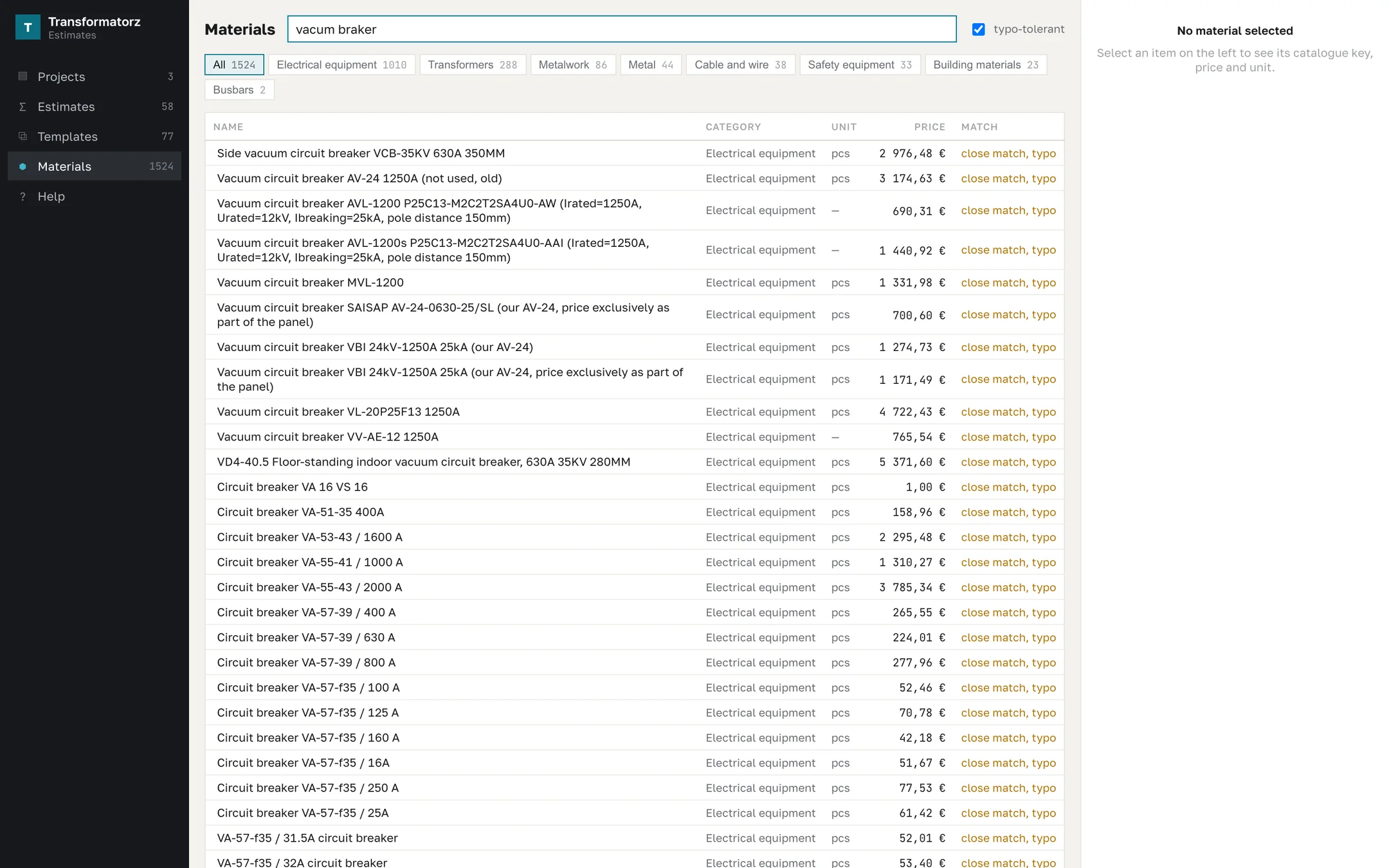
Each of the manufacturer’s Excel costing sheets became a template: materials, labor norms and rates, subtotals, overheads, and VAT. Cell references became references to rows, and external links to the materials workbook became row prices. Quirks and gaps of the source sheets were kept as separate rows that stay visible in the estimate. A fix is made once in the template, and estimates created from it receive an update proposal. The active set holds 77 templates: substations 6, KSO MV panels 34, ShchO-70 LV panels 36, and generator 1. The materials catalog holds 1,524 items in 8 categories, with typo-tolerant search.
Changes and control
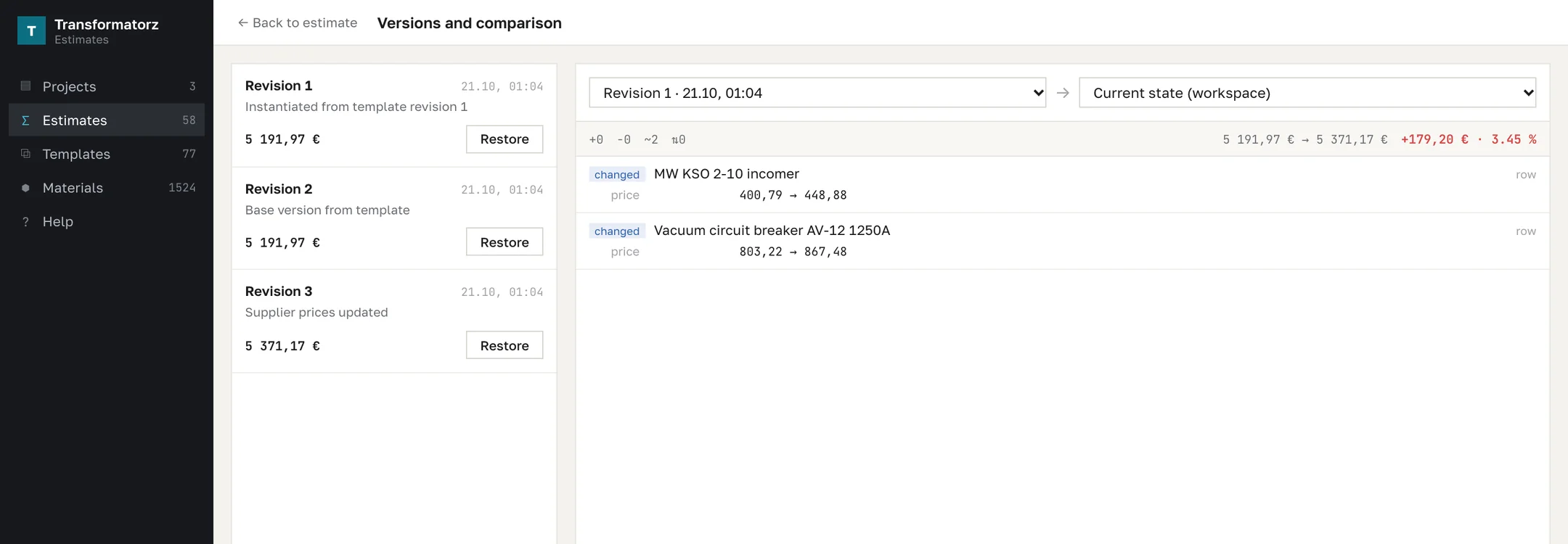
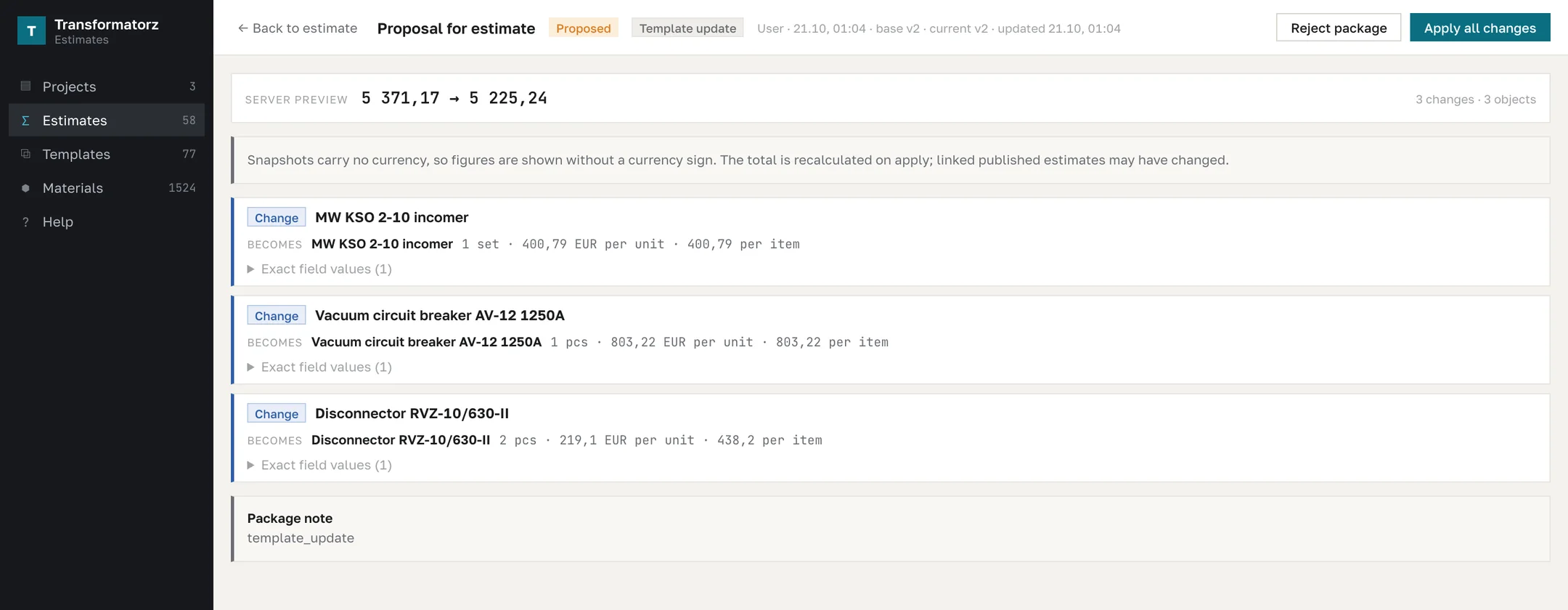
Every edit is recorded in the estimate log with the old and new value. A revision saves a snapshot with a comment; any two versions are compared row by row with the difference in total and percent, and a revision can be restored. When a template changes, estimates created from it receive a proposal: the system shows the new total and the rows that will change, and the engineer applies or rejects the package. Applying a package and every edit check the estimate version, so a stale change cannot overwrite someone else’s work.
Quality
The interface is covered by 66 end-to-end Playwright scenarios, from creating a row to a “15-step working day” and a version conflict. A fast suite runs on every pull request and the full suite on the main branch. For recognition, the team collected labeled reference data: sheet classes for 736 sheets from 15 real projects, and 13 panel data sheets with 74 panels.
Result
The estimator prices a substation by chatting with an AI assistant and spends the time on decisions instead of copying data between Excel files. The estimate no longer depends on who opened which files in which order. The project, its documents, and its estimates live together; the estimate is built from the manufacturer’s 77 templates, and every edit and version is visible. The target is about 15 minutes per project estimate instead of 60 minutes by hand; this is a target, not a measurement in operation.