RFQ Intake
AI intake for a distributor’s sales inbox: emails, attachments, and nameplate photos become structured requests for quotation
Sorts a distributor’s incoming mail, recognizes the customer, reads brands, part numbers, and quantities from text, attachments, and photos, matches them to the catalog, and hands the sales team a structured RFQ to approve.
- 99%
- spam detection accuracy
- 60–70%
- of incoming emails filtered automatically
- +5–10%
- RFQs captured vs. manual intake
- ~30 min
- of manual data entry a day still left for the team
EU-parts production figures; method not disclosed
The client and the problem
EU-parts is a European distributor of industrial components with customers in Europe, the USA, and Brazil. Its master data holds 130,000 suppliers, 20,000 brands, and about two million SKUs. The sales inbox receives about 1,000 emails a day, of which 200–300 are requests for quotation. Before RFQ Intake, every message went through the same manual steps: read it; decide whether it is a request, spam, or something malicious; find the customer; work out the brand and the part numbers; then request prices per brand and prepare the quote. The first five steps were reading and retyping. They made quotes slow, let reminders drift away from the original request, produced duplicate customer records and wrong SKUs, and left no structured data for sales analytics.
What arrives in the inbox
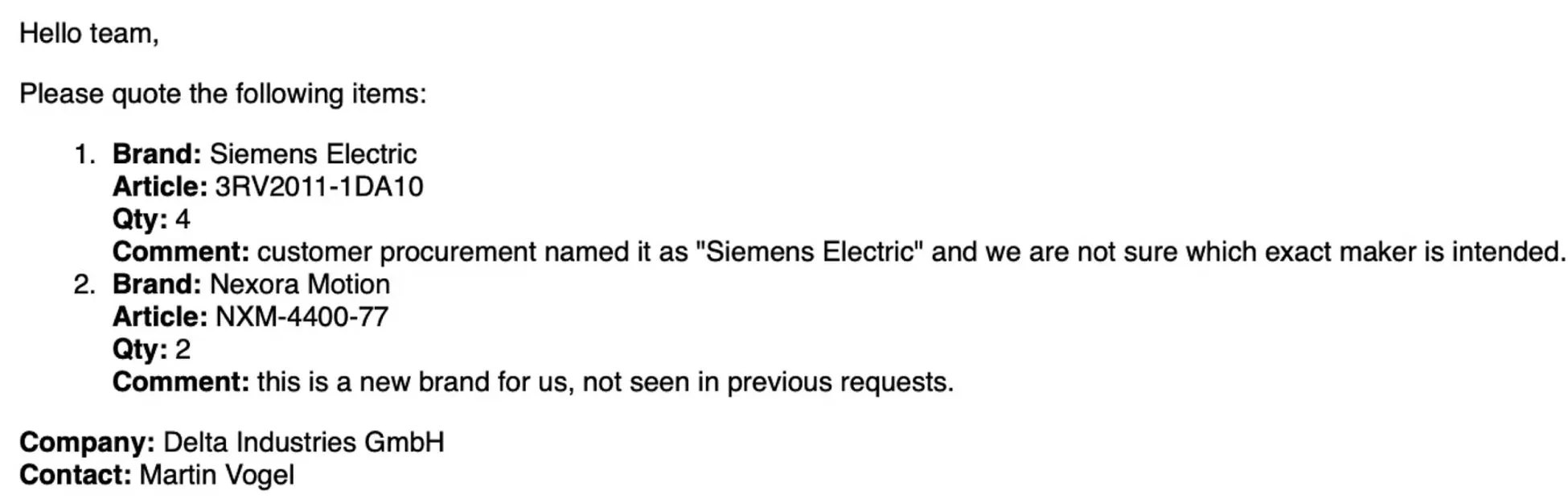
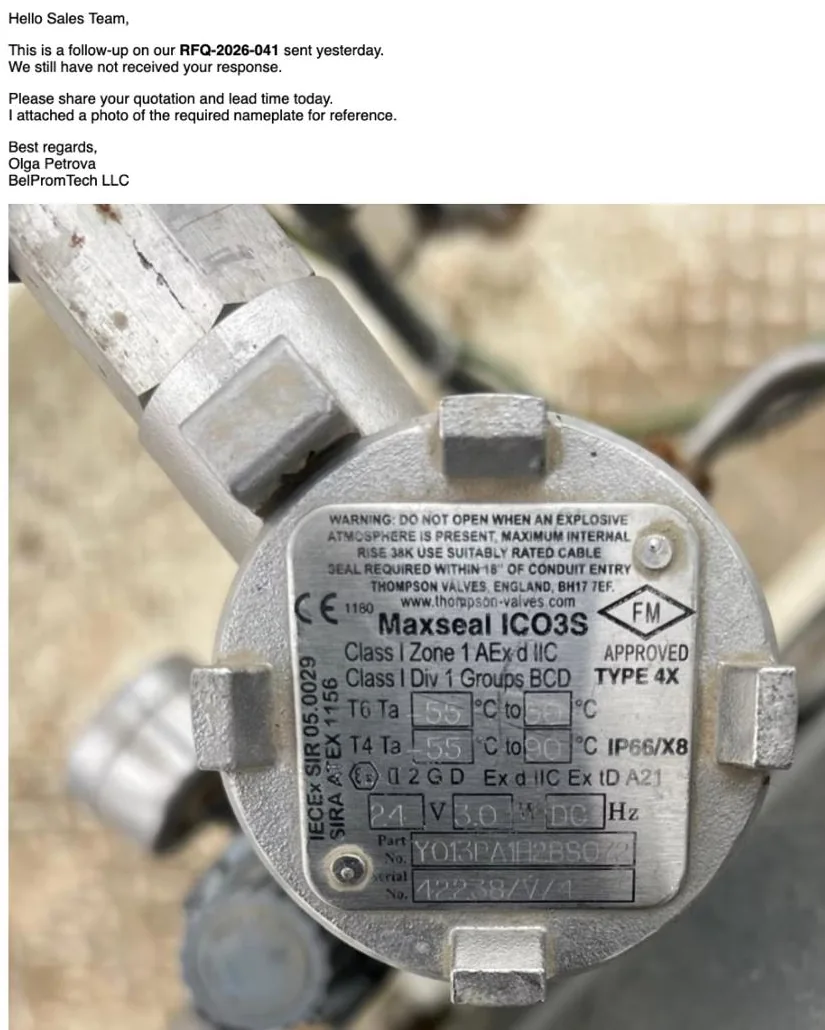
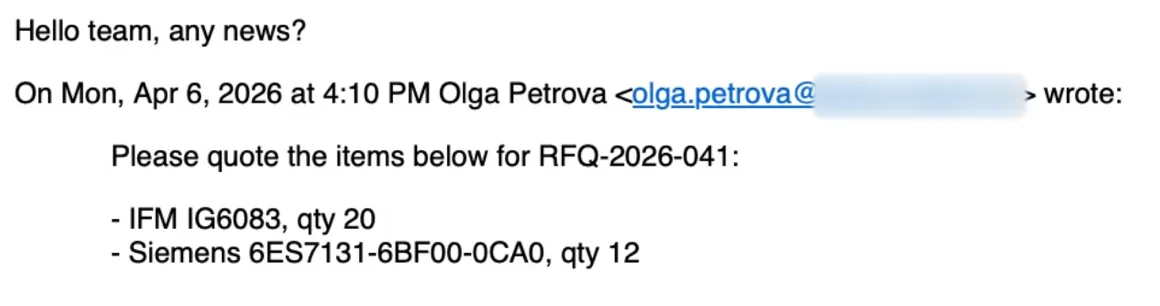
Requests come in many forms: a list in the email body, an Excel or PDF attachment where the body only says “see attached,” a photo of a worn nameplate, a website form, a reminder that quotes yesterday’s request. Brand names are unreliable: a buyer writes “Siemens Electric” without being sure which maker is meant, or names a brand that is new to them. The same inbox also receives promotions that mention the same brands, purchase orders, and messages with harmful links or attachments.
What YYTECH built
YYTECH built one intake flow from the mailbox to the CRM. A connector monitors the Gmail inbox in real time; single .eml files can also be uploaded. Language models classify each email (RFQ, follow-up, purchase order, spam, malicious, or other) and extract the customer, brands, part numbers, and quantities from the body, PDF, Word, and Excel attachments, and images. Every task has its own prompt chain: GPT (OpenAI) handles language understanding and extraction, and Claude (Anthropic) handles complex reasoning and document parsing. The customer is matched against the customer database; brands and part numbers are matched against the catalog. Follow-ups are linked to the existing request instead of creating a new one, and every processed email is logged with a link to the RFQ it produced.

How the sales team works with it
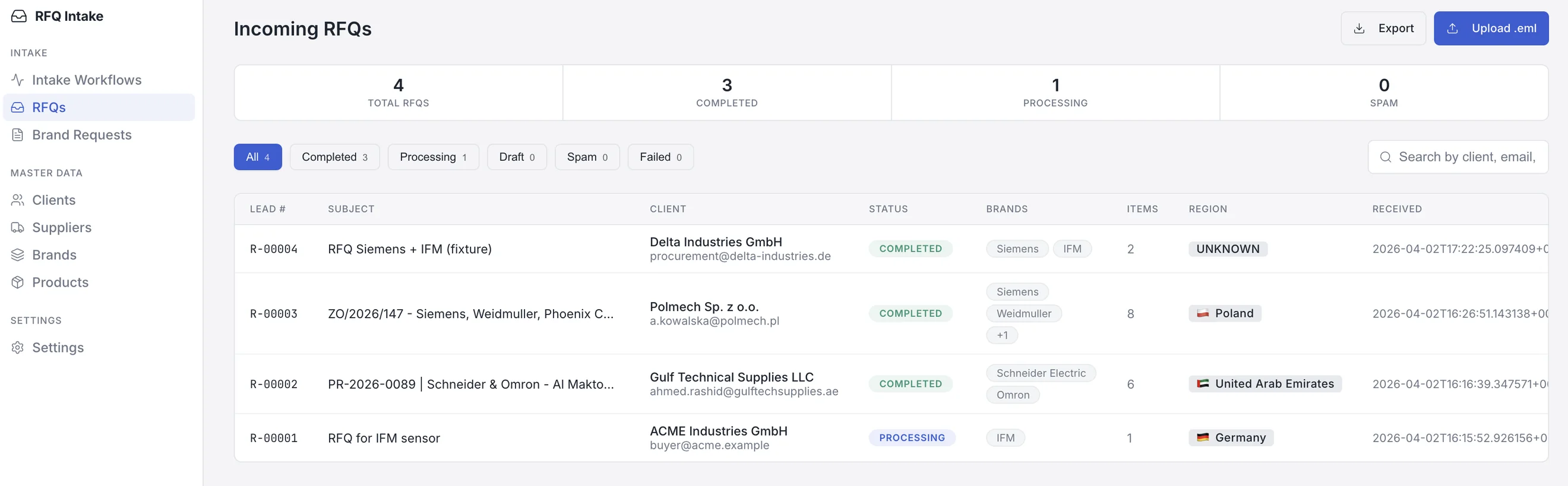
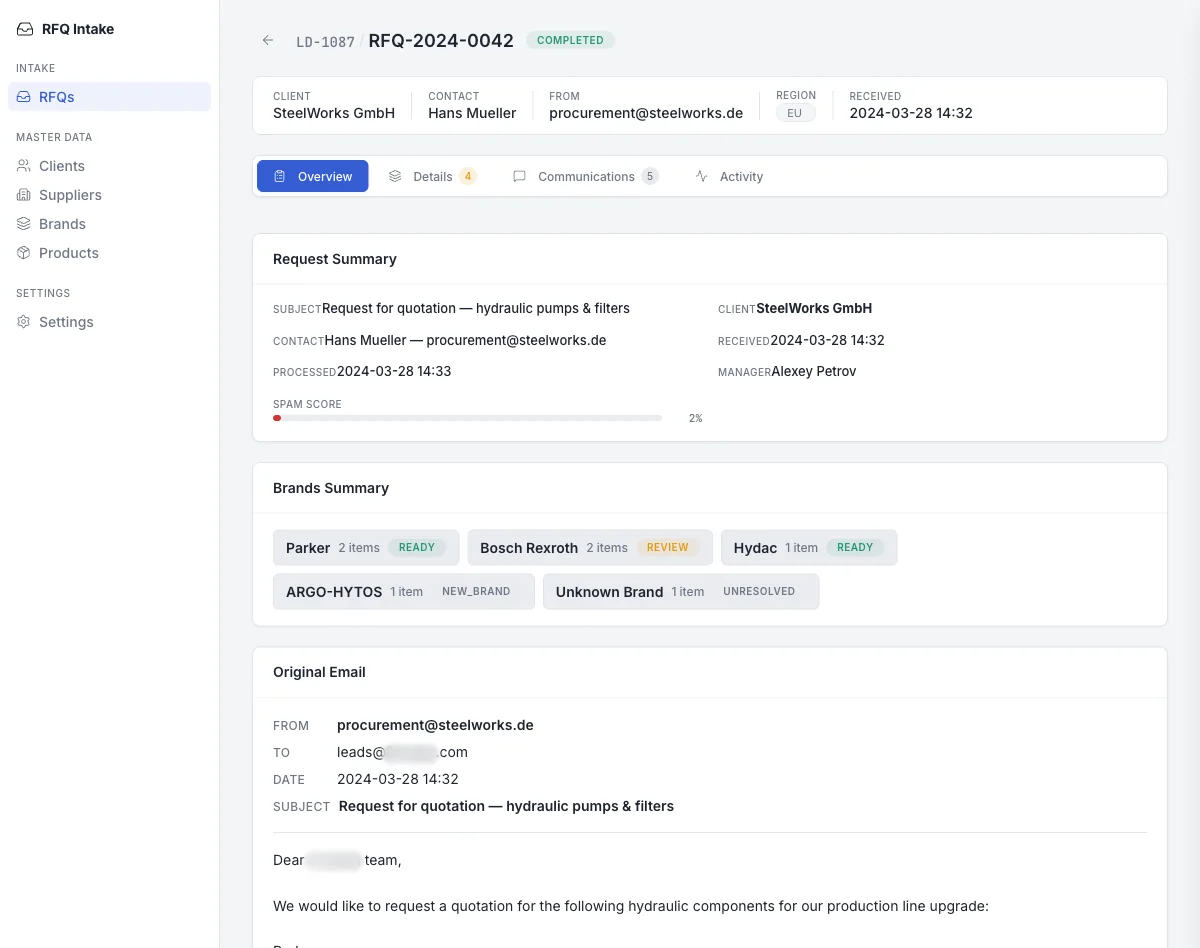
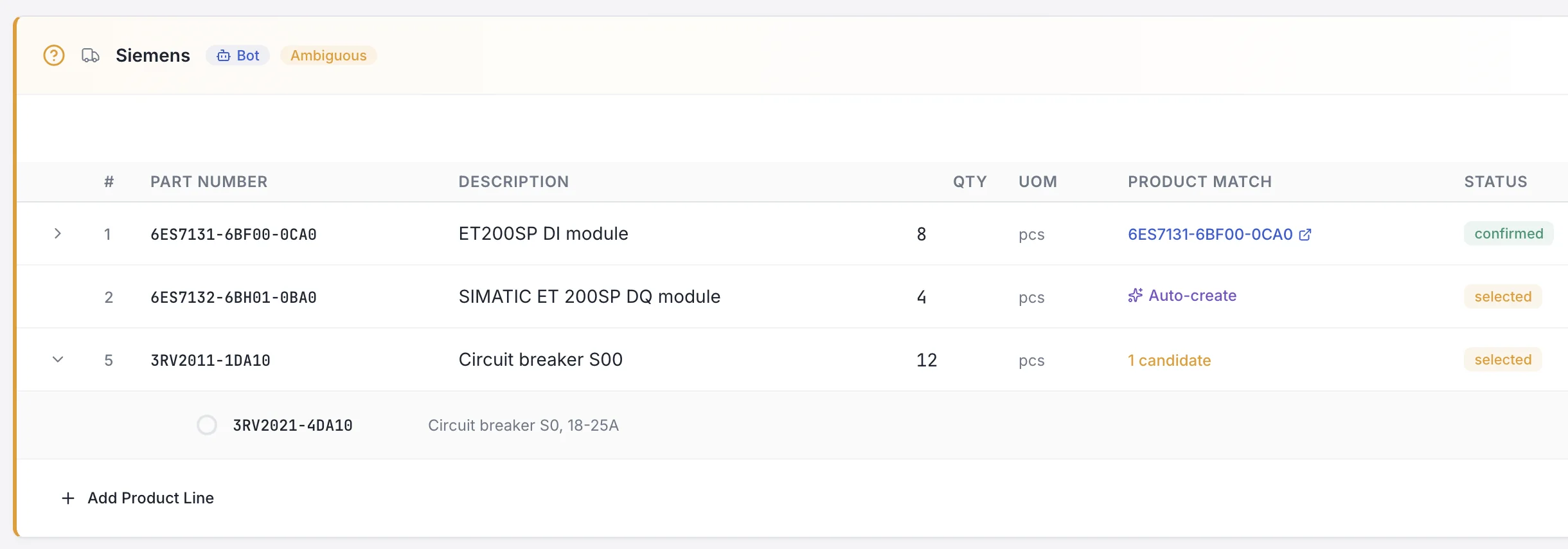
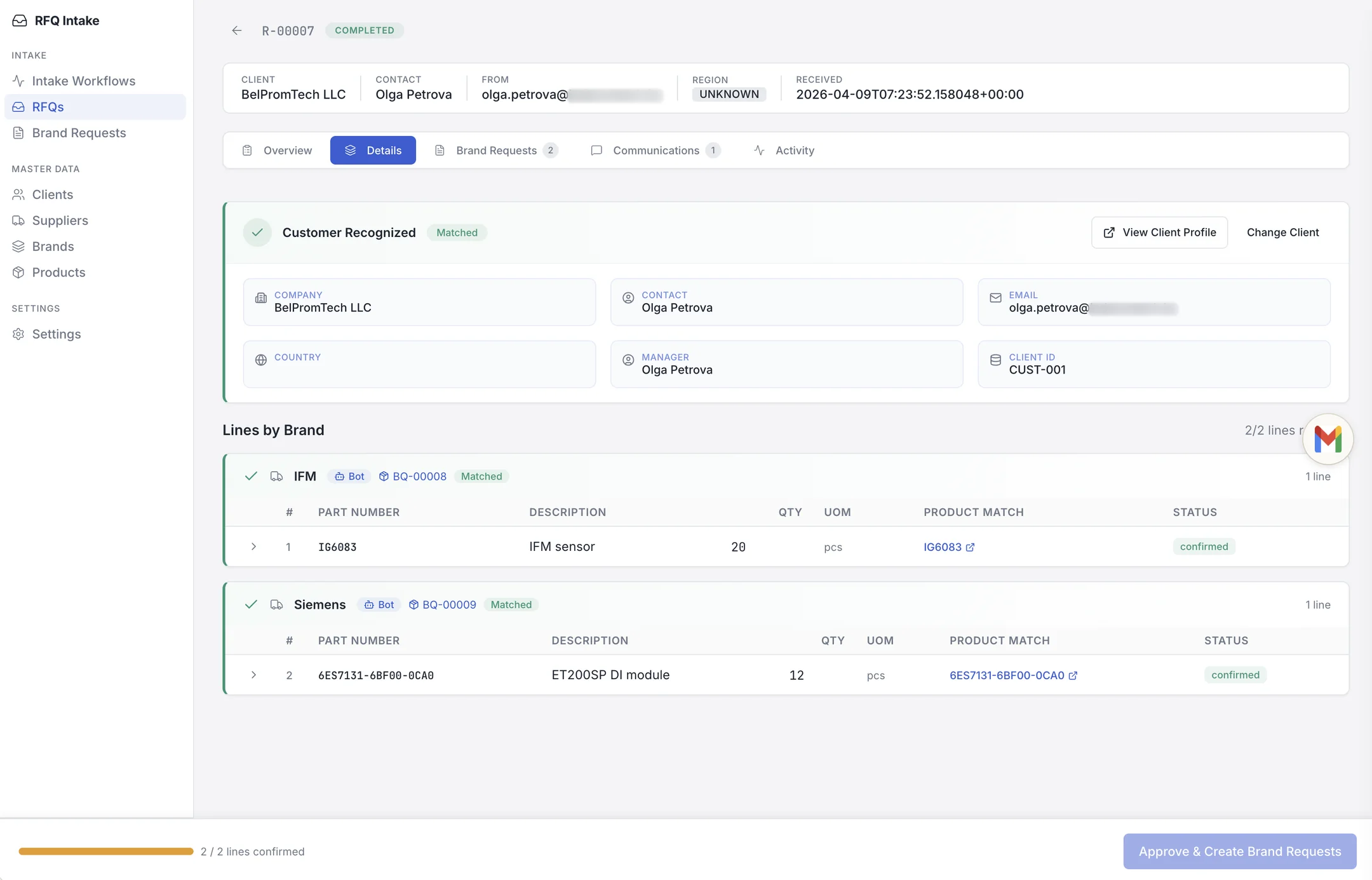
All requests land in one queue with status, brands, line-item count, and region. The RFQ overview shows the spam score and the state of each brand: READY, REVIEW, NEW_BRAND, or UNRESOLVED. On the details tab, the recognized customer is shown with its CRM client ID; a sales rep can open the profile or assign a different customer. Lines are grouped by brand and matched to catalog parts. When a match is uncertain, RFQ Intake marks the brand as ambiguous, offers candidate parts or proposes a new catalog item, and the sales rep decides; lines can be searched, edited, deleted, or added by hand. When all lines are confirmed, the sales rep approves the RFQ, and RFQ Intake creates brand requests (price requests per brand) for pricing.
Integration and deployment
After approval, the customer, brands, and lines are pushed to the CRM or ERP without retyping. RFQ Intake supports major CRM and ERP platforms, including Salesforce, SAP, Microsoft Dynamics 365, NetSuite, Oracle ERP Cloud, Acumatica, and Workday. At 1,000 emails a day, processing costs $15–25 a day, depending on email length, the number and size of attachments, and the number of line items per RFQ. Discovery took 2–3 days. The first version was ready in 1–2 weeks; it was presented to EU-parts and adapted to its business process. Integration with the mailbox, master data, and CRM followed, and the product is maintained and extended with new kinds of requests.
Result
Spam detection accuracy is 99%, and 60–70% of incoming emails are filtered automatically, so nobody has to sort them by hand. The distributor captures 5–10% more RFQs than with manual intake, and about 30 minutes of manual data entry a day remain for the team. The sales team starts from a structured request instead of the inbox, and the CRM receives clean data.